
Pinkit Forms for Google Forms
Build Google Forms in seconds, not hours.
Think it. Pink it.
Pinkit Forms is an AI add-on for Google Forms that helps you create and edit questions without writing every one by hand.
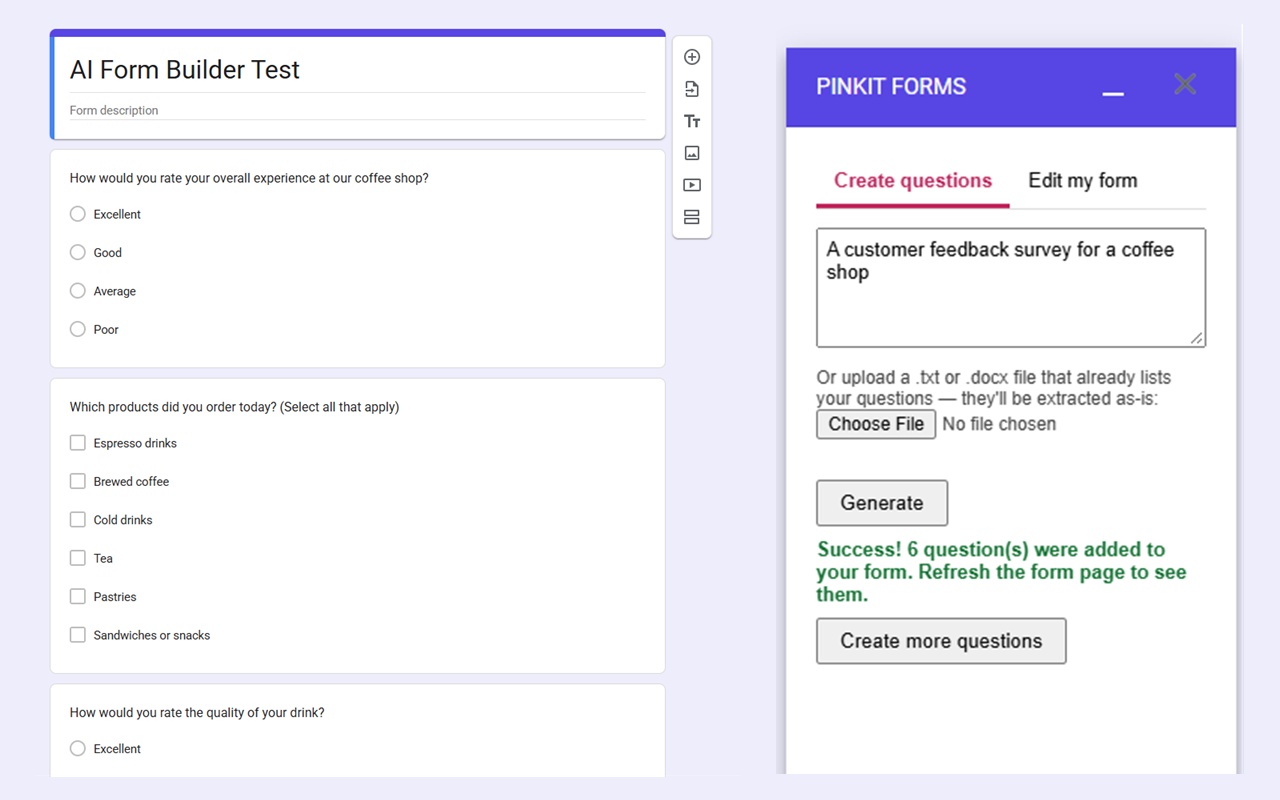
Describe the form you need, or upload a document containing questions you've already written. Review the suggestions, choose what you want, and insert them directly into your form.
Available now for Google FormsHow it works
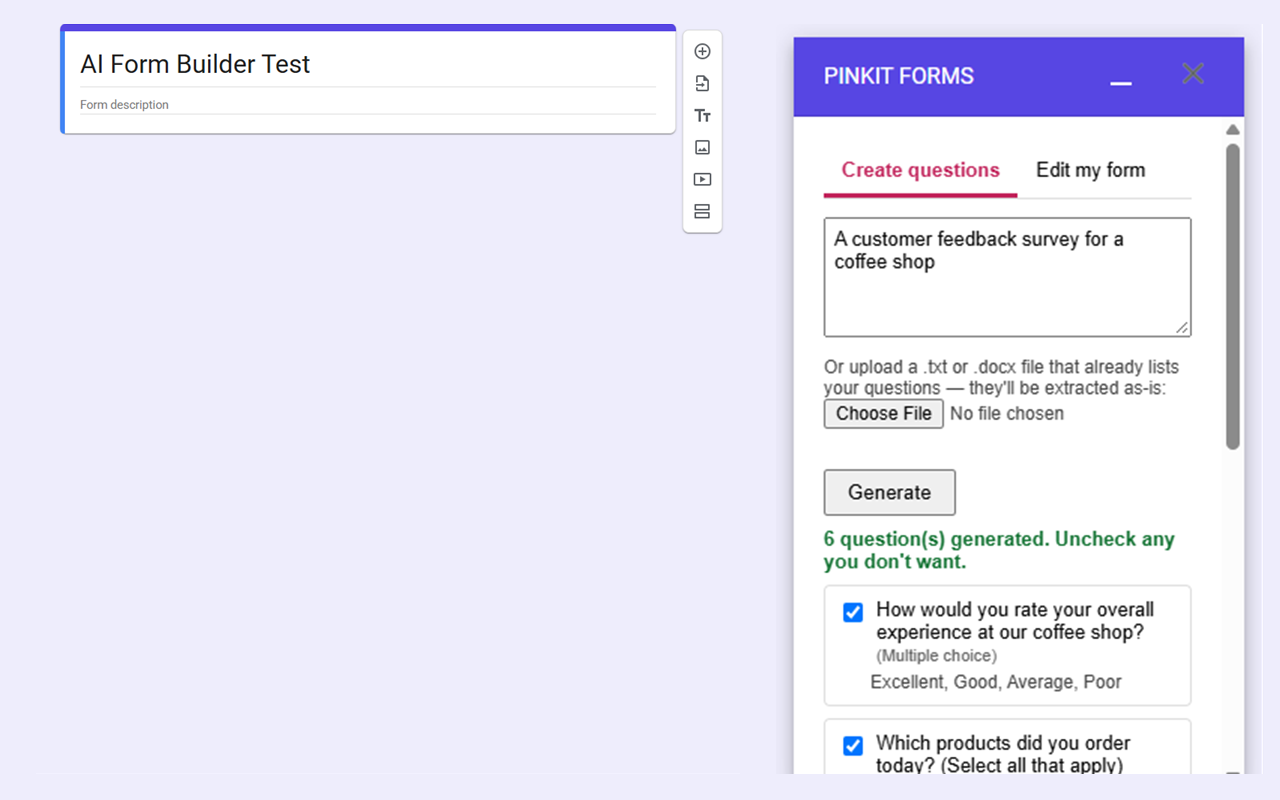
Describe your form
Tell Pinkit Forms what you're building, such as:
"A customer feedback survey for a coffee shop"
The AI creates relevant, well-formed questions based on your description.
Or bring your existing questions
Already wrote your questions in a .txt or .docx file?
Upload the document and Pinkit Forms extracts the questions, then determines the appropriate question type and answer choices.
Review before you insert
Every generated question appears in a preview before anything is added to your form.
Uncheck anything you don't want, then click Insert selected into Form.
You stay in control of what gets added.
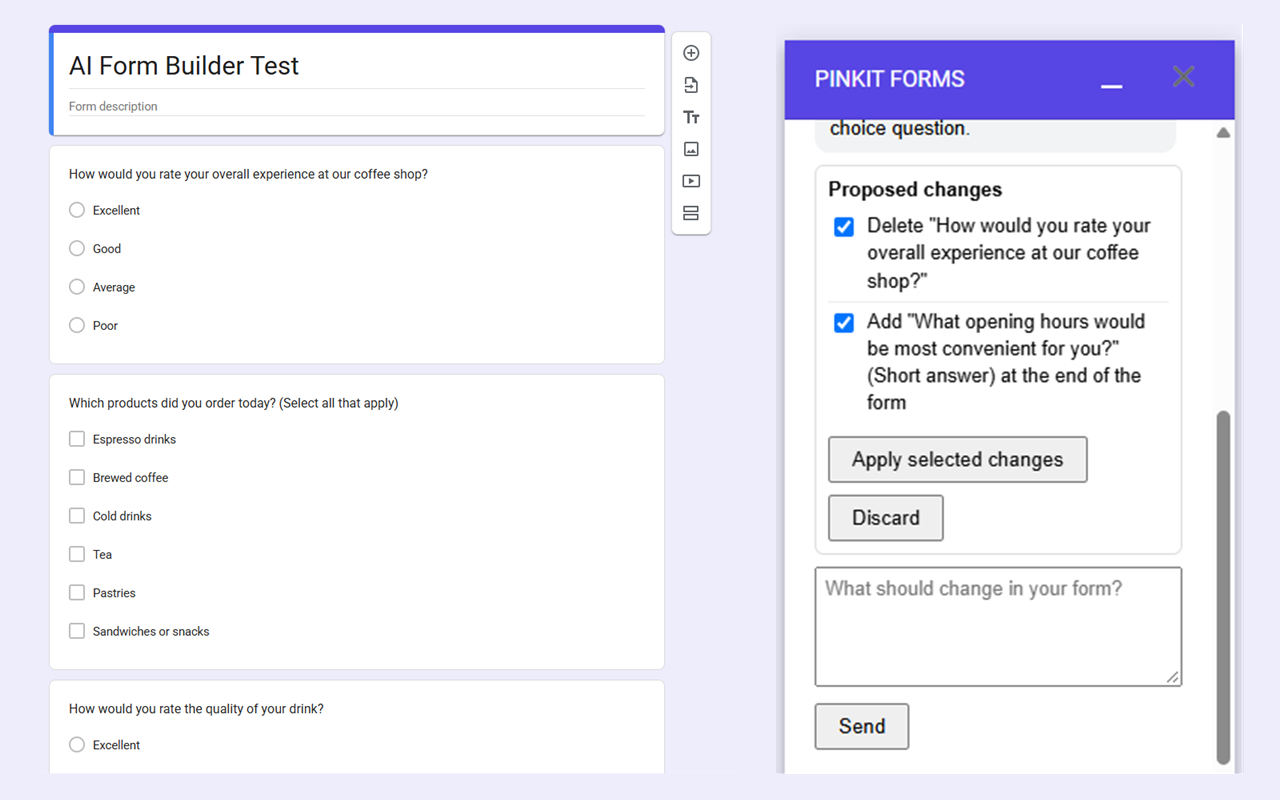
Keep talking to it
Open the Edit my form tab and tell the AI what to change: delete a question, reword another, add one in between. It proposes the changes, you review them, and only the ones you confirm are applied.
Work in your language
The add-on follows your Google account language.
Hebrew is fully supported, including a right-to-left interface.
See it in action
What it supports
The add-on currently creates:
- Short answer
- Paragraph
- Multiple choice
- Checkboxes
Editing works on these four question types. Questions of any other type, or with branching answers, are left exactly as they are.
You can generate questions from:
- A text description
- A
.txtdocument - A
.docxdocument
Your data
Pinkit Forms does not maintain a database of your content.
The text you provide is sent to Anthropic's Claude API to generate questions. Uploaded .docx files are processed inside the add-on before the extracted text is sent for generation.
The add-on only works with the Google Form you currently have open.
Read the privacy policyThink it. Pink it.
Pinkit Forms home